

Build Search Applications Locally with LocalStack and ParadeDB
Learn how to build search applications locally with LocalStack and ParadeDB, a Postgres-based search and analytics engine including a sample app to understand the schema, data and query relationships, and how LocalStack and ParadeDB fit together.
Introduction
If your app already runs on Postgres, adding search often means adding more infrastructure than you wanted. The usual path is to bring in a separate search engine, wire up sync jobs, and then spend time debugging stale indexes or mismatched data.
ParadeDB takes a different approach. It brings modern search features like BM25 ranking and fuzzy matching into the Postgres ecosystem, so your application can keep using SQL while getting much better search behaviour than basic full-text search.
In this post, we’ll walk through the ParadeDB extension for LocalStack and show how to run it as part of your local AWS workflow. We’ll use a sample movie search app built with Lambda, API Gateway, and S3 to demonstrate a full end-to-end flow: bootstrap schema, ingest data, and query ranked results locally without provisioning external infrastructure.
If you have ever wanted to prototype search features quickly without setting up a separate cluster, this setup is a practical place to start.
What is ParadeDB?
ParadeDB is a Postgres-based search and analytics engine designed for teams that want stronger search features without introducing a separate search stack. It is often used by teams that started with Postgres full-text search (tsvector + GIN), then hit limits around relevance quality, search UX, fuzzy matching, or operational scale.
At a feature level, ParadeDB adds capabilities people usually reach for in dedicated search engines: BM25 ranking, typo-tolerant search, richer tokenisation, and faceted-style query patterns. But it keeps the developer surface area close to SQL, which means your app code and query habits do not need a full rewrite around another query DSL.
The practical advantage is straightforward: fewer moving parts. You avoid running ETL pipelines just to keep an external index in sync with your source of truth. For local development, that matters a lot. You can focus on search behaviour and application logic instead of babysitting synchronisation jobs.
ParadeDB can run in two common modes:
- As an extension in self-managed Postgres deployments.
- As a logical replica pattern for managed Postgres environments.
That flexibility makes it useful whether you are testing locally, building a prototype, or preparing a production architecture where search should stay close to transactional data.
Why run ParadeDB as a LocalStack extension?
LocalStack Extensions let you run additional services inside the same LocalStack environment as your emulated AWS resources. For apps that combine AWS services with search, this is the simplest way to keep development local and reproducible.
With the ParadeDB extension installed, ParadeDB starts with LocalStack and is reachable through the LocalStack gateway (paradedb.localhost.localstack.cloud:4566). Your Lambda functions can connect to it over the PostgreSQL protocol while the rest of your app still talks to API Gateway, S3, and other AWS services on the same local endpoint.
Running ParadeDB through the extension gives you a few concrete benefits:
- No extra Docker Compose setup or separate database orchestration for local runs.
- One lifecycle for AWS emulation and search infrastructure (start LocalStack, get both).
- Consistent hostnames and wiring for local dev and CI pipelines.
- Easier end-to-end testing for serverless search flows, including data ingestion from S3 and query execution from Lambda.
- Fresh, resettable local environments that make integration tests more deterministic.
This is especially useful when you are iterating on search relevance. You can change schema or index definitions, reseed data, and validate API behaviour quickly without waiting on external infrastructure.
How to use the ParadeDB extension for LocalStack
Let’s walk through the full setup with the sample-movie-search app. We’ll install the extension, start LocalStack, deploy the stack, initialise ParadeDB, load movie data, and run search queries.
Prerequisites
Before starting, make sure you have:
- Docker
- LocalStack CLI with a valid LocalStack Auth Token (available with a free LocalStack account)
- Node.js/npm 18+
- AWS CLI with the
awslocalwrapper script - AWS CDK with
cdklocalwrapper script make
Step 1: Install the ParadeDB extension for LocalStack
Start LocalStack with your Auth Token:
export LOCALSTACK_AUTH_TOKEN=your-auth-tokenlocalstack startInstall the extension using the LocalStack CLI (you can also list and manage installs using the extension management guide):
localstack extensions install localstack-paradedbYou will see the following output after successful installation:
[23:40:31] Extension successfully installed┏━━━━━━━━━━━━━━━━━━━━━┳━━━━━━━━━━━━━━━━━━━━━━━━━━━━━━━━━━━━━━━━━━━━━━┳━━━━━━━━━┳━━━━━━━━━━━━━━━━━┳━━━━━━━━━━━━━┓┃ Name ┃ Summary ┃ Version ┃ Author ┃ Plugin name ┃┡━━━━━━━━━━━━━━━━━━━━━╇━━━━━━━━━━━━━━━━━━━━━━━━━━━━━━━━━━━━━━━━━━━━━━╇━━━━━━━━━╇━━━━━━━━━━━━━━━━━╇━━━━━━━━━━━━━┩│ localstack-paradedb │ LocalStack Extension: ParadeDB on LocalStack │ 0.1.0 │ LocalStack team │ paradedb │└─────────────────────┴──────────────────────────────────────────────┴─────────┴─────────────────┴─────────────┘If you prefer installing it from our Extensions library, open the LocalStack Web Application, go to Extensions Library, search for the ParadeDB extension, and click + Install.
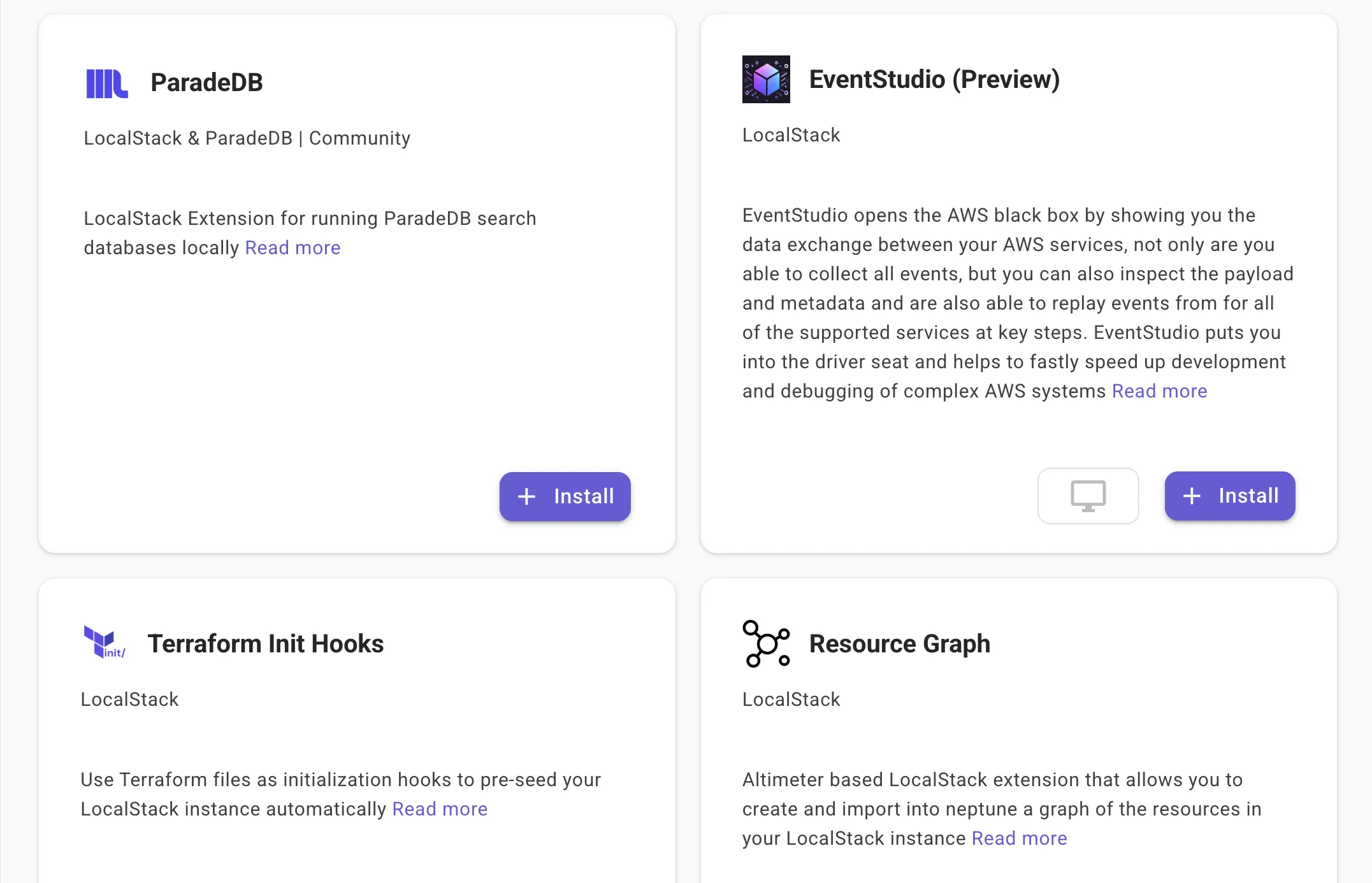
Restart LocalStack after install so the ParadeDB container is started by the extension lifecycle.
ParadeDB is then available at:
- Host:
paradedb.localhost.localstack.cloud - Port:
4566(through LocalStack gateway) - Default DB/User/Password:
mydatabase/myuser/mypassword
If you need custom credentials, the extension supports environment-variable configuration:
PARADEDB_POSTGRES_USERPARADEDB_POSTGRES_PASSWORDPARADEDB_POSTGRES_DB
Set these before starting LocalStack, and the ParadeDB container will use your values instead of the defaults.
Step 2: Clone and setup the sample application
Clone the localstack-extensions repository and move to the ParadeDB sample:
git clone https://github.com/localstack/localstack-extensions.gitcd localstack-extensions/paradedb/sample-movie-searchNow, install the dependencies and prepare the sample movies data:
make installmake download-dataThe above commands install the Node.js dependencies for the CDK app and Lambda code and then download the official AWS OpenSearch sample movies dataset (5,000 movies) and convert it into a format this app can ingest.
The source dataset includes movie metadata such as title, year, genres, rating, cast, plot, poster image URL, and runtime. During preprocessing, the records are transformed into newline-delimited JSON and saved as movies.bulk for efficient ingestion.
Step 3: Deploy the CDK stack to LocalStack
With LocalStack running and the sample application dependencies installed, let’s deploy the infrastructure and set up ParadeDB.
3.1: Deploy the infrastructure
This sample deploys:
- Lambda handlers for search, movie detail, init, and seed operations
- API Gateway endpoints for query and admin actions
- An S3 bucket with the movie dataset in bulk format
To deploy the sample application, run the following command:
make deployThis deployment creates API Gateway routes, Lambda functions, and the S3 bucket used for data ingestion. The output would be:
 ✅  MovieSearchStack
✨  Deployment time: 87.46s
Outputs:MovieSearchStack.ApiEndpoint = https://movie-search-api.execute-api.localhost.localstack.cloud:4566/dev/MovieSearchStack.DataBucketName = movie-search-dataMovieSearchStack.InitEndpoint = https://movie-search-api.execute-api.localhost.localstack.cloud:4566/dev/admin/initMovieSearchStack.MovieSearchApiEndpointB25066EC = https://movie-search-api.execute-api.localhost.localstack.cloud:4566/dev/MovieSearchStack.MoviesEndpoint = https://movie-search-api.execute-api.localhost.localstack.cloud:4566/dev/movies/{id}MovieSearchStack.SearchEndpoint = https://movie-search-api.execute-api.localhost.localstack.cloud:4566/dev/searchMovieSearchStack.SeedEndpoint = https://movie-search-api.execute-api.localhost.localstack.cloud:4566/dev/admin/seedStack ARN:arn:aws:cloudformation:us-east-1:000000000000:stack/MovieSearchStack/98f2fe8a-3bdb-4cb4-948f-9f1bc54dd2f3
✨  Total time: 95.22s
This sample creates four Lambda handlers behind API Gateway:
searchHandler: ranked search resultsmovieDetailHandler: full record lookup by movie IDinitHandler: creates schema + BM25 indexseedHandler: loads and upserts data from S3
They will be used in the next steps, as we initialise the database and seed the data to be consumed for searching movie details.
3.2: Initialise the database object
Once deployment completes, initialise the ParadeDB schema and index:
make initThe make init command calls the /admin/init endpoint, which creates two critical database objects:
- A
moviestable with relational fields (title,genres,actors,rating,plot,release_date, and others). - A BM25 index:
CREATE INDEX movies_search_idx ON moviesUSING bm25 (id, title, plot)WITH (key_field = 'id');The index design is intentional:
titlecaptures exact title intent and close title matches.plotcaptures descriptive intent when users search by theme or storyline.idaskey_fieldprovides a stable identity for scoring and retrieval.
Next, let’s load the dataset into ParadeDB, which we can then use to run our test queries.
Step 4: Seed data and run ParadeDB queries
To load the dataset into ParadeDB, call the /admin/seed handler, which reads movies.bulk from S3, parses each line, and inserts records in batches of 100.
make seedAfter seeding, run a few test queries. Let’s go ahead with a basic search:
curl "http://movie-search-api.execute-api.localhost.localstack.cloud:4566/dev/search?q=redemption"The output would be:
{ "success": true, "data": { "results": [ { "id": "tt0111161", "title": "The Shawshank Redemption", "year": 1994, "rating": 9.3, "plot": "..." } ], "....": "additional results omitted", "total": 13, "limit": 10, "offset": 0 }}Now, we can try out a fuzzy search with an intentional typo:
curl "http://movie-search-api.execute-api.localhost.localstack.cloud:4566/dev/search?q=godfater"The output would be:
{ "success": true, "data": { "results": [ { "id": "tt0068646", "title": "The Godfather", "year": 1972, "rating": 9.2, "plot": "..." } ], "....": "additional results omitted", "total": 3, "limit": 10, "offset": 0 }}But how does it work? Inside the search Lambda, ParadeDB matching is driven by this predicate:
WHERE title ||| $1::pdb.fuzzy(1) OR plot ||| $1::pdb.fuzzy(1)The results are then ranked with:
ORDER BY pdb.score(id) DESCAnd the highlighted snippets are generated with:
pdb.snippet(plot, start_tag => '<mark>', end_tag => '</mark>')This is why a typo like godfater can still return “The Godfather”, while high-relevance matches appear first without custom ranking logic in our Lambda code.
Step 5: Explore the Movies Search Web Application
To inspect relevance behaviour visually, start the Web Application:
make web-uiThen open http://localhost:3000 in your browser.
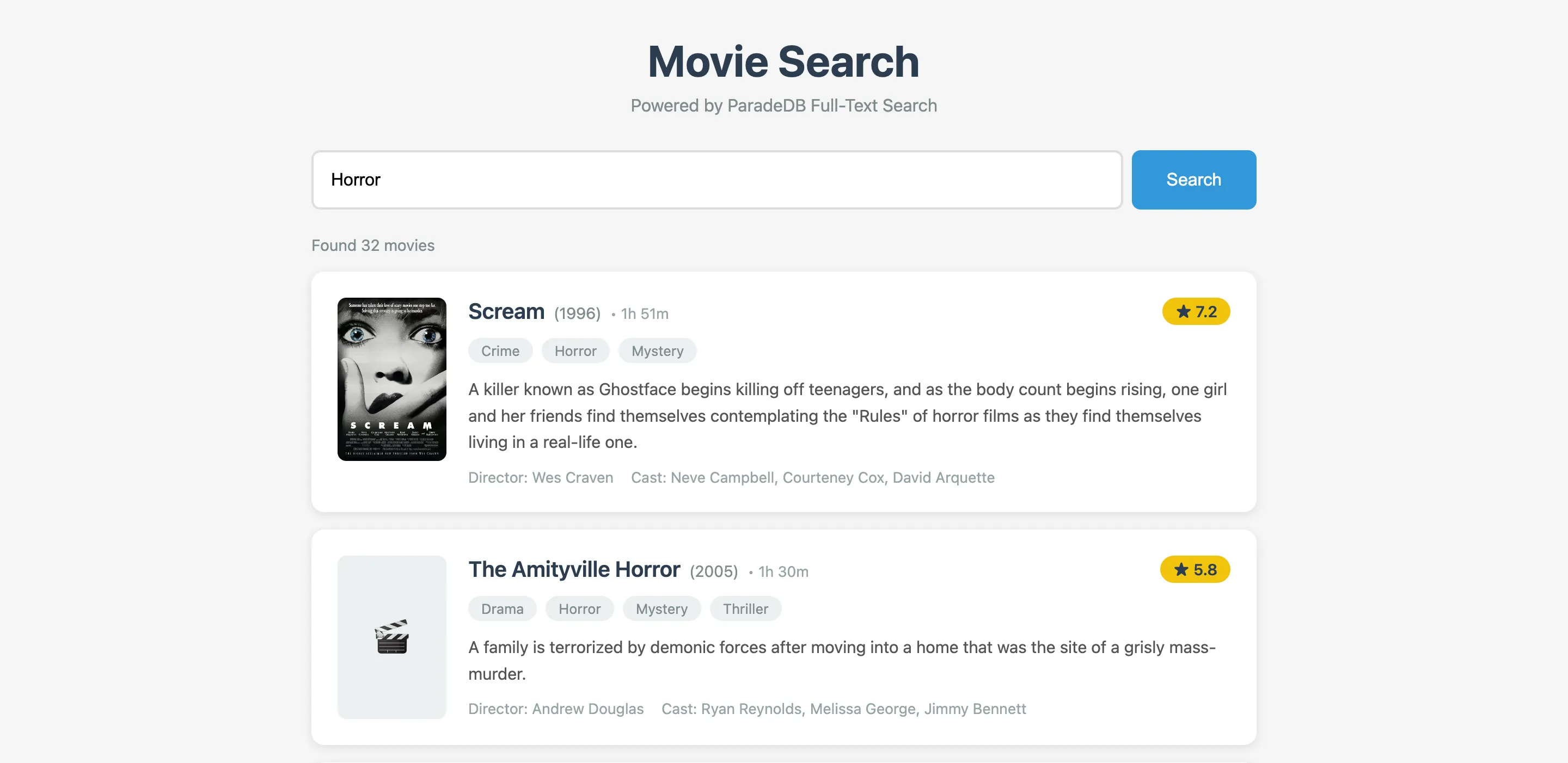
The UI is useful for validating search quality, not just endpoint correctness:
- Run short queries (
alien,matrix,crime drama) and watch the ranking order. - Try typos and see whether fuzzy matching is helping or over-matching.
- Open detail pages to confirm structured fields from Postgres (cast, genres, runtime) line up with highlighted text.
At this stage, you have a complete local search stack where API Gateway invokes Lambda, Lambda queries ParadeDB over the PostgreSQL protocol, and the UI helps you evaluate ranking and match quality after each iteration.
Conclusion
The ParadeDB extension for LocalStack gives you a practical way to build and test search-heavy AWS applications without introducing extra local infrastructure. In this tutorial, we set up a movie search service with API Gateway, Lambda, S3, and ParadeDB, then walked through schema initialisation, bulk ingestion, fuzzy matching, BM25 ranking, and UI-based relevance validation.
The key benefit is development speed with fewer moving parts. You can iterate on index design and query behaviour locally, validate the full request path end-to-end, and keep your application logic focused on features instead of orchestration.
If your team already uses Postgres and is evaluating better search capabilities, this setup is a strong way to prototype search quality before moving to production.
Learn More
- ParadeDB: product overview, capabilities, and deployment options
- ParadeDB Documentation: setup guides, search reference, and examples
- LocalStack Documentation: getting started guides, service coverage, and configuration options
- LocalStack Extensions: how extension runtime and lifecycle work
- LocalStack Extensions Library: discover and install extensions from the Web App
- LocalStack Extensions Repository: source code for community extensions, including ParadeDB
- LocalStack Slack Community & ParadeDB Slack Community: join the community for questions and discussions

Related Articles


Harsh Mishra and Brian Rinaldi •