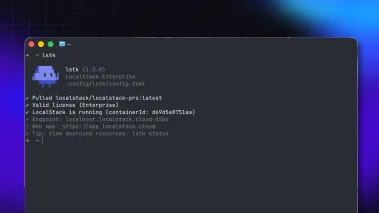

LocalStack exists to make cloud development faster. But for many enterprise developers, the first hour with LocalStack isn’t spent building. It’s spent fighting the corporate network.
Proxies, TLS inspection, and locked-down laptops are standard in large organizations. They can block what LocalStack needs on its first run, such as reaching our servers to activate a license, and the errors they produce rarely point to the cause. The result is a stalled setup, a support ticket, and a team that can wait days to see any value.
We built lstk doctor to close that gap. One command checks what a first run depends on, shows you what’s blocking you, and gives you the fix. Here’s how it works.
The day-one problem
Picture a developer on a managed laptop, starting LocalStack for the first time. Startup fails with this:
x509: certificate signed by unknown authorityThe real cause is a corporate proxy re-signing HTTPS traffic with a certificate LocalStack doesn’t trust. Nothing on screen says so. A ticket goes to IT, then to support, and setup stalls while everyone hunts for the cause.
One command, a clear diagnosis
lstk doctor checks your machine and network for the issues that most often stop LocalStack from starting or activating.
lstk doctorIt runs 11 checks across three areas. Independent checks run at the same time, so one pass surfaces every independent root cause instead of stopping at the first failure. Some checks depend on others: if the LocalStack license server’s name doesn’t resolve, doctor can’t open an HTTPS connection to it or validate its certificate, so it skips those checks and reports the DNS failure as the one thing to fix, rather than a cascade of errors. Each failed check comes with a concrete fix, usually the exact environment variable and value to set. You can also check one area at a time (lstk doctor network), or point the network checks at an internal mirror with --target.
Doctor is read-only. It reads your environment and opens test connections, but it doesn’t need LocalStack running and doesn’t change anything on your system.
What it checks
| Area | What doctor checks |
|---|---|
| Network | Proxy settings, DNS and HTTPS access to the LocalStack API, corporate certificate trust, the local DNS names your code relies on, and whether a running LocalStack instance responds |
| Container | Whether a container engine is reachable: Docker, Podman, Colima, Rancher Desktop, and others |
| System | Available memory (4 GB recommended) and free disk space (10 GB recommended) |
Every finding is ranked by severity, so you know what to fix first:
- Blocking: LocalStack can’t start or activate until this is resolved.
- Fixable: LocalStack can run once a configuration change is made, and doctor prints the change, typically an environment variable and value.
- Informational: LocalStack runs, but one specific feature won’t work yet.
One tip from the field: adding your corporate CA to the operating system’s trust store won’t clear a certificate finding. Instead, point REQUESTS_CA_BUNDLE (or CURL_CA_BUNDLE) at a file that combines the default CA bundle with your corporate root. Doctor’s fix output gives you the exact value.
Built for scripts, CI, and agents
Add --json and doctor returns a single machine-readable object with the verdict, every finding, and its fix. Exit codes map to the result (0 all checks passed, 1 fixable, 2 blocking, 3 a check couldn’t complete), and the JSON verdict tells you exactly which, so a CI job can fail only when LocalStack can’t start. Platform teams can build it into setup scripts, and coding agents can diagnose an environment without parsing prose.
lstk --json doctorFaster answers from support
If a fix doesn’t resolve the issue, attach the output of lstk --json doctor when you contact support. It contains no credentials, and its evidence fields give our support team the same view of your environment that doctor had. That means less back-and-forth and a faster path to a fix. Doctor’s telemetry reports each check’s code and outcome, never the evidence behind it: hostnames, certificate details, proxy URLs, and file paths stay on your machine. You can opt out entirely with LOCALSTACK_DISABLE_EVENTS=1.
Make it step one
Run lstk doctor on any new machine before your first lstk start, before opening a support ticket, and any time LocalStack won’t start on a corporate network.
Rolling LocalStack out across a team? Add doctor to your internal setup guide. It turns a common source of onboarding tickets into a self-serve check.
Get started
Your corporate network shouldn’t stand between your team and its first local cloud. lstk doctor turns a vague startup error into a clear diagnosis: 11 checks in one pass, the root cause first, and a concrete fix for each finding. It works the same on a laptop, in a CI pipeline, or in an agent’s workflow, and it gives our support team the full picture when you need help.
lstk doctor is included in the Hobby, Base, and Ultimate plans. Update to the latest lstk, then run doctor before your first start:
lstk updatelstk doctorSee the lstk doctor docs for the full list of checks, output formats, and fixes for common findings.